Month: May 2021

  • How to make Office Online use OpenDocument format

    Did you know that Microsoft Office online can use either Microsoft Office format (docx, pptx, xlsx) or OpenDocument format (odt, odp, ods)? I didn’t until a commenter pointed it out.

    You can change the default file formats for Office documents from your OneDrive Settings. There is an option called Office file formats.

    Yovko Lambrev

    If you visit the OneDrive settings on their website there is an option to change between the two formats.
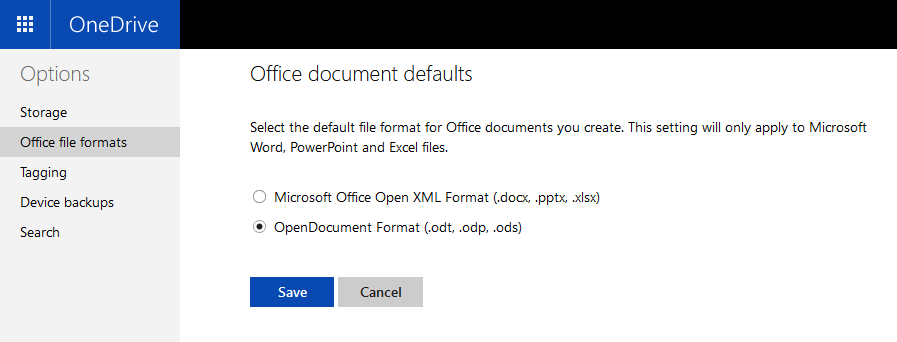
    OneDrive online settings to change office document format to OpenDocument

    Then if you create a new “Word document” by right-clicking in OneDrive
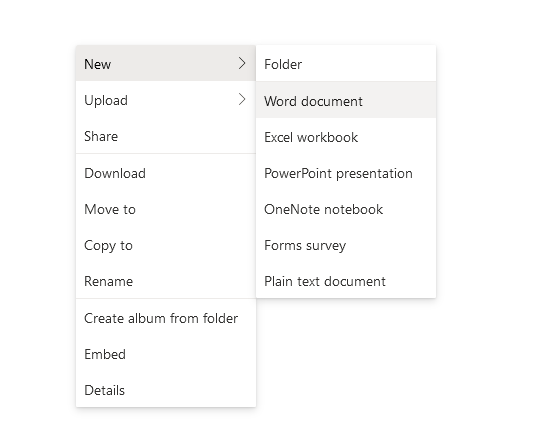
    OneDrive online right click dialog showing new word document

    It’s actually a OpenDocument ODT file!
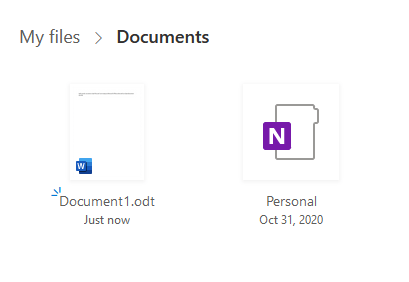
    OneDrive online with two files open (one of them an ODT)

    Then you can click on it to open it in Word online.

    Microsoft Word online opening an ODT file

    Pretty neat!

  • Switching to WordPress.com

    For the past few years I’ve been hosting my blog on Linode, but I’ve decided to switch over to WordPress.com on their “Personal” plan since it was a bit cheaper.

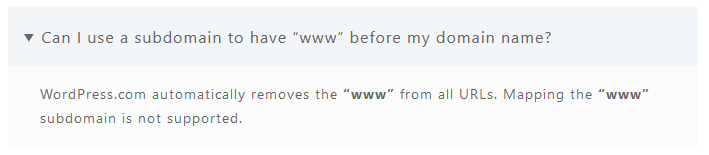
    So far everything seems to be working well, and I was able to migrate over all of the posts, pages, and comments from my previous WordPress installation. However, WordPress.com doesn’t support the www subdomain which is annoying, so I either have to make it the naked domain (kylepiira.com) or use another subdomain like blog.kylepiira.com. Right now, I’ve opted for the naked domain, although I think it looks much uglier than the version with www.

    WordPress.com does not support the www subdomain

    Typical web developers, breaking something that’s worked for the last 30 years in favor of the new hotness.

    I also had to disable the AMP feature which is enabled by default by going through Settings → General → Performance.